
StarShareAsk a question
Menu
Regional directory

Middle East viewing guides

Follow a programme from its published time to a Gulf clock. Choose the country where your screen is installed before asking about the player or a local feed.

Country & language desk

Which feed are you watching?

Write the country where the screen is used, then the language and station edition. A viewing location and a channel’s origin answer different questions.

Read the full field guide ↓
Open the language board →
Field guide

Watching across the Middle East

Identify the viewing market and station separately when a family shares a programme across Gulf countries.

Begin with the television's address

A grandfather in Manama wants the same evening programme his sister watches in Muscat. They use the same name for it at home. Her screen shows Oman TV, his guide files Omani stations under Arabic, and the clip that started the conversation came from a cousin in Dubai. Which country guide should he open? Bahrain, where his television and account will be used. Which source should the family consult to identify the programme? The Omani broadcaster that scheduled or published it. Holding those two locations apart makes his next question answerable.

This guide follows six Gulf countries in detail. Bahrain, Kuwait, Oman, Qatar, Saudi Arabia and the United Arab Emirates make up the Gulf Cooperation Council. The Middle East directory on this site also links to places outside those six. Pick the country where the intended screen is located for a question about a store, a player or account availability. When the question concerns the originating broadcaster, take down that broadcaster's country and station separately. A family whose home language is Urdu may be looking for an Emirati broadcast of a match played in Kuwait.

For a quick first conversation, tell the other person what is already known. Give the viewing city, how you reach the television picture and the programme or event you want to identify. Ask for whichever piece is missing. That may be an Arabic spelling, the difference between two numbered sports feeds or a start time printed on the broadcaster's own guide. The common regional directory brings those questions together while the country pages deal with the local equipment, clock and household circumstances.
Find the hour that divides six Gulf capitals

A meeting fixed for 7 in the evening in Kuwait City takes place at 7 in Manama, Doha and Riyadh under the current clock rules. In Muscat and Abu Dhabi it is 8 that evening. The same grouping applies to an advertised television start given in the originating city's civil time. A guide or browser can already have converted the time for the viewer, so read the setting before doing the conversion yourself. Adding one hour to an entry that already shows Abu Dhabi time creates an error where none existed.

Suppose a viewer in Kuwait City posts a message on Saturday 21 November 2026 describing a programme scheduled there for 11.35 that night. In Doha the reminder belongs at 11.35 on Saturday too. In Muscat and Dubai it belongs at 12.35 on Sunday morning. There is little chance of confusion between those households if the invitation contains the originating city, the date and the word after midnight for the eastern pair. A note promising television at “half past tonight” gives everybody more work.

Use a named world-clock city if a device asks for a location. A list that shows GMT offsets alone can be difficult to interpret when you are configuring equipment for a relative across a border. On the remote call, ask the person to read back the complete local day and time after setting it. Where the television has a separate receiver or streaming device, the wall clock on the television's own home screen may be correct while the receiver's programme guide still displays the previous country's time.

Work out which clock a guide is showing

One useful experiment involves a programme with a published start that you have good reason to trust. Take two screens physically located in different Gulf time zones. Open the same broadcaster listing for the same date on each and compare how the start is presented. If the times differ by the expected hour, the page may be localising the entry. If they match, look for an explicit city, region setting or list heading. A matching number alone leaves open the possibility that both browsers still use the same account preference.

It is worth doing this with a routine programme before using the result for a major event. A daily news bulletin is usually easier to recognise than the launch of an unfamiliar drama. Keep the programme on either side of the row visible as well. Matching the names and order of three consecutive entries tells you whether the two viewers are looking at the same service and day. A series title that happens to turn up on both channels will otherwise make a weak comparison appear convincing.

Now compose the invitation in a way that survives a screenshot. An example could read that the family plans to start at 20:00 Muscat time on the stated Friday, which is 19:00 in Doha. Someone passing the picture to a relative in another country can convert from an explicit source. If the broadcaster moves the slot, update the original invitation and label the new time. The earlier picture may continue circulating, but a date and revision note give people something concrete to compare.

Choose between Dubai TV, Sama Dubai and Dubai One

Dubai Media's brand directory gives a useful illustration of how much information disappears when a listing says simply Dubai. It identifies Dubai TV and Sama Dubai separately. It also describes Dubai One, including an English-language Emirates News bulletin, and lists specialist sports services. These names point to different destinations on the remote. Ask whether a relative remembers an English bulletin, a local Arabic production, football coverage or racing. That single question can reduce several plausible search results to one or two.

Imagine a viewer in Sharjah asking a friend in Doha for “the Dubai news.” The friend saves Dubai One because the viewer mentions an English presenter. Before the viewer promises to join the next bulletin, check the exact date and programme entry on the publisher's schedule. The edition seen as a short news clip in the morning may have been an excerpt from a previous broadcast. If the family only wants that particular interview, ask for the publisher's episode or clip title as well. Looking up the next live bulletin could lead to an entirely different story.

Abu Dhabi and Dubai share a country and a civil time. That makes them a useful comparison with two homes across an international border. The UAE country page is the practical starting point for both households' account questions, while the Dubai city guide can help a family choosing that location for its clock. A station produced in Dubai still needs its own identity in a support enquiry from Abu Dhabi. Give the station title visible in the guide, the language of the item and how you found the broadcast the first time.

Read an Omani listing in the right column

Oman's Ministry of Information describes a general station, a sports station, Oman Live and a cultural station. It also publishes an Oman television schedule. The differences among those services are useful when somebody sends a photograph of an Omani programme to the rest of the family. A national ceremony, a studio conversation and a sports result may all be discussed as “on Oman TV.” The particular station, day and programme description identify a useful target for the person searching from abroad.

The ministry's schedule illustrates another common detail. Some entries carry the Arabic word for a repeat, usually written إعادة or with a simpler form of the initial letter. A person who can follow the spoken programme but reads little Arabic might overlook it in a crowded row. When planning a shared evening, ask someone to read the few words after the title, including any indication of a repeat. The live transmission of a station can quite properly be showing an earlier edition of a programme.

Oman's government also describes Ayn as a digital platform launched by the Ministry of Information. When one relative says they found an item on Ayn and another looks for a channel named Ayn on the television, they can pass one another for several minutes. Ask the first person to identify where they tapped. Was it the live channel area, a programme collection or a saved item? A direct reference to the publisher is useful even when the second household's service uses its own interface. Each household still needs to confirm its own way of opening the item.

Take a sports number all the way into the enquiry

Bahrain's national portal lists television services including Bahrain International and Bahrain Sports 1. The number at the end of a sports station is easy to drop when sending a voice message. Keep it. A different numbered service, a sports programme on a general station and a recorded sports feature can all carry the same national colours. Identifying the exact service matters more than finding the same flag in a country carousel.

Suppose a viewer in Manama is helping an older relative in Kuwait City who wants a particular interview with a player. Both homes use the same civil time. That removes one possible source of disagreement, but two remaining questions matter. Which Bahraini station carried it, and was the relative watching the complete item or a shortened version? If the station's name and the surrounding programme match on both screens, the conversation can turn to playback. If they differ, ask the broadcaster for the correct programme reference before changing anyone's device settings.

The Ministry of Information Affairs also publishes an app under its own name in the Bahrain App Store. Read the publisher's description and the supported devices on the actual listing. Bahrain's government portal covers television and radio, and a title that contains both words can be used informally to mean several things. A phone playing a radio station is a useful answer for someone wanting the sound of a local bulletin. A family hoping to watch an on-screen interview needs to confirm the television source, picture and edition in the receiving household.

Read KTV channel identifiers before interpreting package names

Kuwait's Ministry of Information publishes a digital terrestrial television list that identifies KTV 1 HD, KTV 2, Sport HD, Sport Plus, Al-Qurain, Ithraa and Al-Arabi among its services. That list provides names from an identified source and names the transmission system it describes. It is a useful reference when a family remembers a KTV logo but has forgotten the rest of the label. A provider's own internet-delivered channel lineup is a separate document and may organise the names differently.

Imagine the family asking for a match on Sport Plus. Dropping the word Plus could point support to the other sports service. Replacing the whole title with “Kuwait HD” tells support even less. Keep the name as printed, the programme or competition and the chosen date. If the picture is available locally through a television aerial, say so. The local source can help confirm the identity of the underlying channel, while the question about opening the same channel through a particular player still belongs to that player's provider.

There is also a digital platform associated with the number 51. Kuwait Government Online carried the Ministry's explanation of Platform 51 as a home for its television, radio and online material. In a family discussion, 51 might consequently mean the platform, a channel position in someone's personal list, or simply the number someone remembered. Ask where the number appeared. An app icon, a programme guide row and a station preset call for different next steps. Checking that small detail prevents a fruitless search for a station named after a programme platform.

Keep a Qatar channel's second edition visible

Qatar News Agency's live directory lists Qatar and Qatar TV 2 as separate entries. It also lists Al Rayan and Al Rayan 2. These pairs are useful examples for a regional viewing question because an English translation or a shortened name can remove the only clue that separates them. When you take a note from the television, include the numeral and any original spelling printed beside it. A country name followed by an episode number is a different thing from a station whose name ends in two.

A viewer in Doha might remember that an official celebration appeared on a Qatari service and ask relatives in Muscat to tune in. Give them the complete title of the edition, the kind of programme and the civil date on the local announcement. Muscat is an hour ahead of Doha under the current clock rules. If the two households are seeing different opening pictures after checking the time, compare station labels again. A change of edition or camera feed can explain a difference even while both services are covering the same event.

Alkass identifies its sports network separately and describes coverage in English and Arabic. That gives a viewer a place to look for the broadcaster's own account of its programmes. It says little about which commentary a specific household receives for a selected event. Ask for the named service and language, then check the actual audio choices in the family's authorised viewing app. Understanding English coverage on one broadcaster's website and hearing an English commentary track on a living-room feed are different practical outcomes.

Follow the card back to the Saudi service it names

When Saudi artwork circulates outside the Kingdom, the frame around the programme can be as important as the picture inside. Aloula's English homepage gives live television, programmes and series different entry points. The Saudi Broadcasting Authority's television listing names such services as SBC and Saudia. A person in Riyadh can therefore say that an item appeared on Aloula, while a viewer in Bahrain needs to know which live service or programme entry was selected inside it. The screen with the station selector is often the most useful place to look.

Take an invitation for a Saudi studio show sent from a television in Riyadh to a home in Manama. Both cities share the same clock in the dated examples in this guide. If the two people find different shows at the agreed hour, start by asking whether one opened an episode card from the programme shelf and the other opened the scheduled station. An episode description may contain the topic they originally discussed. A live guide describes what the station is transmitting at that moment.

The same point matters in the other direction. A person moving from Bahrain to Saudi Arabia might recognise the content immediately yet be offered a different app when searching a television store. A title card from a broadcaster and an installed player have different publishers and sometimes different names. Identify the broadcaster using the broadcaster reference. Identify the app using its current listing for the actual device and store. By the time support receives the question, “can I watch the Saudi show?” has become a specific enquiry about a named programme, service, equipment and country.

Identify the competition, host and two teams

The final of the 26th Gulf Cup provides a memorable lesson in regional labels. Kuwait's Crown Prince Diwan records that Oman and Bahrain met at Jaber Al-Ahmad International Stadium on 4 January 2025. Kuwait hosted the event. Oman and Bahrain were the teams. A Qatari household could have been searching for that same match at the same time. A television guide filed only under the viewer's country, the host country or either team can send the family to four different parts of the menu.

For an archive search, start with the competition, the final and the full date. Add both team names as they appear in your guide. Then decide whether the family wants the complete match, the trophy ceremony, a broadcaster's discussion or a short package of goals. The organiser or host's record establishes the event identity. For the programme a household is allowed to play, use the rights holder's current listing or ask the provider about the exact edition available in that household's country. The presence of a tournament emblem answers a narrower question about the identity in the artwork.

A viewing party for a future tournament needs the same distinctions but a fresh source for the schedule. A picture identifying the 26th event could be reused by somebody discussing an anniversary or past final. It cannot give the kickoff of a later edition. Include the edition or year when searching a sports directory and the exact fixture when asking for commentary. That allows a reader to help with the historical item even if nobody yet has a confirmed answer about the next live broadcast.

Write a family reminder that survives two midnight crossings

Many families in the region share programmes with relatives in Karachi, Lahore, Mumbai or Hyderabad. Set the reminder from the programme's published time zone, even when the announcement arrived through a family member somewhere else. If an Indian listing for an illustrative event says 12.15 on Sunday morning, Karachi will still be on Saturday at 11.45 on the current offsets. Dubai and Muscat will be on Saturday at 10.45. Doha, Kuwait City, Manama and Riyadh will be on Saturday at 9.45. A row of city names makes this much easier to check than a chain of voice notes.

There are two ways for a family to get this wrong while doing the arithmetic correctly. Someone may enter the converted time on the original Sunday date, or may believe the app has displayed the Indian time when it has already shown the viewer's local one. Write the weekday out for each place and keep the unconverted entry at the top of the family note. Look at an event details page or its time-zone selector when the origin of the displayed time is uncertain.

Language adds another reason to complete the check before pressing play. Relatives may all want to watch a game connected to India or Pakistan and still prefer different commentary. A viewer accustomed to English television graphics may want the voices in Hindi. Someone else may want spoken Urdu with no text at all. Give the provider the language of the sound and the identity of the programme, separately from the countries involved in the invitation. A billing address in the UAE does not tell a content team which commentary the buyer means.

Recalculate when the invitation leaves the Gulf

A copied Gulf clock rule will take a family only so far across the broader directory. Take a hypothetical 14:00 UTC transmission on Thursday 16 July 2026. In Doha it falls at 17:00, in Dubai at 18:00, and in both Cairo and Beirut at 17:00. Now move the same hypothetical UTC start to Thursday 19 November 2026. Doha and Dubai retain the same readings. In Cairo and Beirut it is 16:00. Amman shows 17:00 on both of those example dates. Check current zone data for the date of a different event.

The practical difficulty is a reminder already sitting in somebody's phone. A family living in Qatar may have memorised the hour at which relatives in Lebanon joined a summer series. A weekly call arranged on the old relationship could land an hour away from an autumn programme. Put the broadcaster's actual named city and event date into the new reminder. A recurring programme announced at a fixed local evening time can shift relative to another household even if its broadcaster never edits the local schedule.

Use the wider country directory for these cases. Select Lebanon, Egypt, Jordan or the other relevant location and carry over the exact event and programme facts you have already established. The six-country comparison on this page is a worked method for following one item through several markets. It would be a mistake to assign one time zone, language, application store or set of channels to every country under the regional heading. A country page is especially helpful when a simple clock conversion leaves unresolved questions about the viewer's actual setup.

Read a country's store listing as narrowly as it is written

Apple's media availability document includes separate country and region entries. A reader can use this to establish which Apple service the company lists in the relevant market. To establish whether a specific third-party television player can be installed on a particular screen, continue to the actual app listing and check the supported devices and publisher. There is a real difference between seeing that a store operates in a country and finding a working television edition of the app your household needs.

Consider a family moving from Kuwait to Oman with an iPhone, an older smart television and a separate Apple TV box. The three products can all be described in conversation as the equipment used to watch television. An app visible on the phone can still leave the older television as an unanswered question. Have the person who will operate the large screen find its model, the attached box if one will be used and the store they can actually open. Looking up an app on a laptop in another country's storefront is useful for identifying a publisher, but it leaves the household's installation untested.

If a seller sends a picture of a store page, ask them to name the market, model or operating system to which it applies. If the household is travelling temporarily, identify both the permanent home account and the country of the borrowed screen. Before changing account settings, read the manufacturer's current rules and consider what purchases or applications already depend on the original account. A family preparing one evening of television needs a verified viewing path for that evening. It rarely needs to reorganise every service on the host's equipment.

Recognise the device that supplied the guide

A furnished flat can make a simple comparison surprisingly difficult. A guest in Dubai sees the television manufacturer's home screen, while the owner normally watches programmes through a receiver behind the cabinet. A cousin in Doha opens a player on a stick plugged into the television. All three people can truthfully say they selected the guide on their TV. Ask each one what happens from the home screen before they choose a channel. The name of the app or the label of the input identifies which system should be compared.

Kuwait's ministry list is a helpful reminder that terrestrial television is a distinct form of reception. An antenna-fed television, a satellite receiver and an internet application can all carry stations with very similar wording. A station number from the first household is often a poor instruction for the second. Use the station's full name and descriptive programme details when comparing the guides. Keep a personal favourite position as a local shortcut after the correct station has been found.

An orderly support call can start by matching one clear action at a time. Have the person at the screen tell you whether their remote's Home button opens a row of television apps or the connected box's interface. Ask them to describe the first visible programme title. If a second remote is needed to reach the desired list, record that fact for the household. When they can independently repeat the journey from turning on the television to opening the source, you have resolved an everyday problem that a new account password could never have fixed.

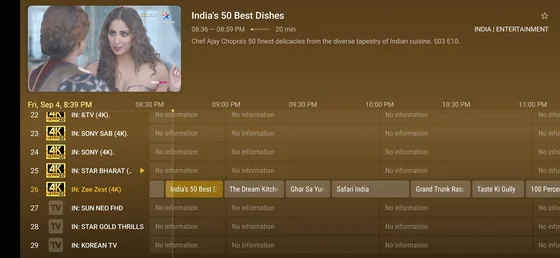
The STAR TV library screen
The STAR TV library screen · Read the guide

Agree which version of the words the family needs

A programme may involve four languages before anybody changes a setting. The spoken interview can be in Arabic. The channel may publish an English description. A family watching from Qatar may use an Urdu player menu. The subtitles that a guest would like to read may be in Hindi. Write those details in separate sentences. An interface translated into Urdu can make the remote easier to use while the programme's actual audio and available written tracks remain exactly as the publisher supplied them.

Ask the regular viewer which words they want to hear and which they want to see on the screen. Those questions work better across generations than asking whether somebody wants an Arabic or an English service. A grandparent may want original speech even where a translated soundtrack is available. A younger viewer may prefer spoken English and written Arabic. A person who relies on captions may need sounds and speaker changes described as well as dialogue. Identify the specific option the household depends on before choosing a term.

Try the test during a scene with people speaking. A channel ident, musical introduction or crowd shot can sound much the same across languages. If an audio change seems to select the right track, allow the next spoken sentence to play and let the intended listener judge it. Then open the subtitle control independently. The result for a single edition is useful enough to record with its date and player. It cannot be extended to every episode a family may later browse, or to a different station carrying the same competition in another country.

Tell a clock difference from a delayed picture

Two relatives can enter the correct programme at the correct civil time and still see different moments in a match. Their viewing paths may carry different delays. A pause during the programme or a replay opened accidentally can also leave one household behind. The wall clock concerns when the fixture happens. A player showing an earlier part of the broadcast concerns where that household currently sits within its own feed. These problems call for different checks.

Take relatives in Bahrain and Saudi Arabia, where the household clocks agree. Both find the same teams, the same match date and the correct station. One person sees a goal while the other still sees the buildup. Compare an identifiable moment visible to both, such as the start of the second half or a particular substitution, and note the approximate difference. Look for an ordinary return-to-live control if somebody paused earlier. Moving the device's local time forwards to chase the other person's picture would also affect programme guide times and future reminders.

If one person sees a highlights introduction or a studio analysis at the moment the other sees the event, revisit the edition. That difference is too informative to dismiss simply as an internet delay. Look at the programme title, the name of the selected service and whether the viewer opened Live or a saved programme. The family can decide to continue separately, synchronise independent on-demand playback where available or choose another time to discuss the result. Giving the lagging viewer a little warning before the family chat posts the score is a useful courtesy.

Describe the second home before agreeing to a plan

Two siblings may live in adjacent Gulf countries and visit each other frequently. A viewing plan intended for one home does not automatically answer the question of use in the other. Ask the provider where the intended account may be used, whether travel is covered, what device changes are supported and how many sessions can play at once. List the actual arrangement in plain words. A person travelling with their own device is asking a different question from two permanent households wanting to use separate televisions every evening.

The supplier's answer should apply to a particular plan, territory and household arrangement. If a business says only that its app can be downloaded in both countries, ask the remaining account question. If it says a particular channel name exists in its directory, ask whether it is supplied for the relevant viewing location and programme. Keep any written confirmation with the order. A guide to Gulf broadcasters can identify a station without having access to a customer's entitlements, the supplier's commercial agreements or the current catalogue of every regional platform.

A shared residential lounge, a café or a hotel television introduces another condition. Describe the intended audience and setting to the appropriate rights holder or supplier and ask what written permissions apply. Buying more household devices or finding a familiar channel through a regional directory does not answer that question. At home, the useful next step may be testing a single authorised account on a regular family's television. In a public setting, the responsible operator needs to resolve the intended use before treating any household viewing offer as suitable.

Read the identity behind a familiar logo

A flag and logo gallery is a good way to put a name to a half-remembered channel. It can also tempt a reader to mistake recognition for identification. Look closely for a numeral, a word such as Plus or International, or a distinct station name in Arabic. Kuwait's Sport Plus, Bahrain International and Qatar TV 2 illustrate three different ways a small piece of text changes the answer. Once you have spotted the likely identity, follow the named publisher record and read the description in its own context.

If two candidate entries have similar artwork, compare the type of programme each one is known to carry and inspect the actual schedule. A general channel and a specialist sports service may appear side by side in a media group's portfolio. During a prominent sporting event both might discuss the same teams. The programme summary can reveal that one offers a news report while the other has an event listing. Ask for the intended coverage rather than merely pointing to the team's crest in an illustration.

For an enquiry about a specific film or series, the equivalent clue can be a production year, a cast member, a second title or the edition of the poster. A guide image can help family members agree which work they mean even when their interfaces display different translations. A title card alone gives no answer about a service's present Saudi, Kuwaiti or Omani catalogue. For availability, take the identified title and edition to the provider or publisher serving the country where the screen will be used.

Prepare a television for a relative staying a week

Imagine a visitor from Muscat staying with family in Doha. The guest wants a familiar Omani news programme and one Indian series on a living-room television used mostly for Qatari channels. Start with the two specific programmes and the time the visitor normally watches. A personal habit of opening the news at seven in Muscat translates to six in Doha if it refers to the same instant. If the guest means seven after the Doha family has dinner, that is a request for a different viewing time. The difference matters when choosing live or on-demand playback.

Let the host identify which television input or licensed app the household normally uses. Search the exact Omani station there and check the episode source for the series. If the relevant service supports personal favourites or an additional authorised profile, agree with the host before changing the household's arrangement. A handwritten pair of instructions may be enough for a short visit. Including the button or input name means the person left at home can find the programmes without waiting for somebody else to return from work.

Plan the end of the visit as carefully as the beginning if the visitor signs into a personal account under terms that allow it. Identify which app and device were used, sign out through the provider's normal route and check whether a saved account remains on the host's screen. Leave the host's own subscriptions, channel order and television settings as agreed. The household has a working regional setup when the regular viewer can return to their usual evening and the visitor can go home knowing where their own account is signed in.

Put the unresolved detail on the right country page

A useful regional enquiry can end with just one question. A viewer in Abu Dhabi has identified the original Omani programme and its Muscat airing, found that both cities use the same clock, and established that their smart television can open the intended player. The remaining question is whether that service supplies the named programme in the UAE with the language option the household needs. Start with the UAE country page and pass the exact edition to the private provider contact when an account-specific answer is necessary.

Another viewer in Kuwait City may have an entirely different result. The account and player already work, but the family needs the proper name of a second Qatari service so a relative can bookmark it. The broadcaster's directory and the Qatar reference may settle the matter without a change to a subscription. Someone in Saudi Arabia comparing the time of a Lebanese programme should use the broadcaster's dated source and the two named time zones. These three homes have regional questions, yet each reaches a different destination in the directory.

When adding a question to the community, give other readers the smallest set of details that can settle it. That usually means a country and city of viewing, the originating station or title, the relevant date and the kind of device involved. If someone finds a useful answer, record which part it resolves and where it came from. A correct time, an identified channel and a successfully tested language track are three different pieces of evidence. Together they let a family plan the evening with confidence about the things it actually checked.

One programme, several local clocks

Both columns use an illustrative 14:00 UTC start. The rows show how the date changes the comparison.

Viewer’s city2026-07-16 at 14:00 UTC2026-11-19 at 14:00 UTC
DohaThu 16 Jul, 17:00Thu 19 Nov, 17:00
RiyadhThu 16 Jul, 17:00Thu 19 Nov, 17:00
DubaiThu 16 Jul, 18:00Thu 19 Nov, 18:00
MuscatThu 16 Jul, 18:00Thu 19 Nov, 18:00
AmmanThu 16 Jul, 17:00Thu 19 Nov, 17:00

Sources · IANA time zone database

StarShare Forum